Get Data Table Row
Version: UE 5.7.4
Last Updated: 9/15/2026
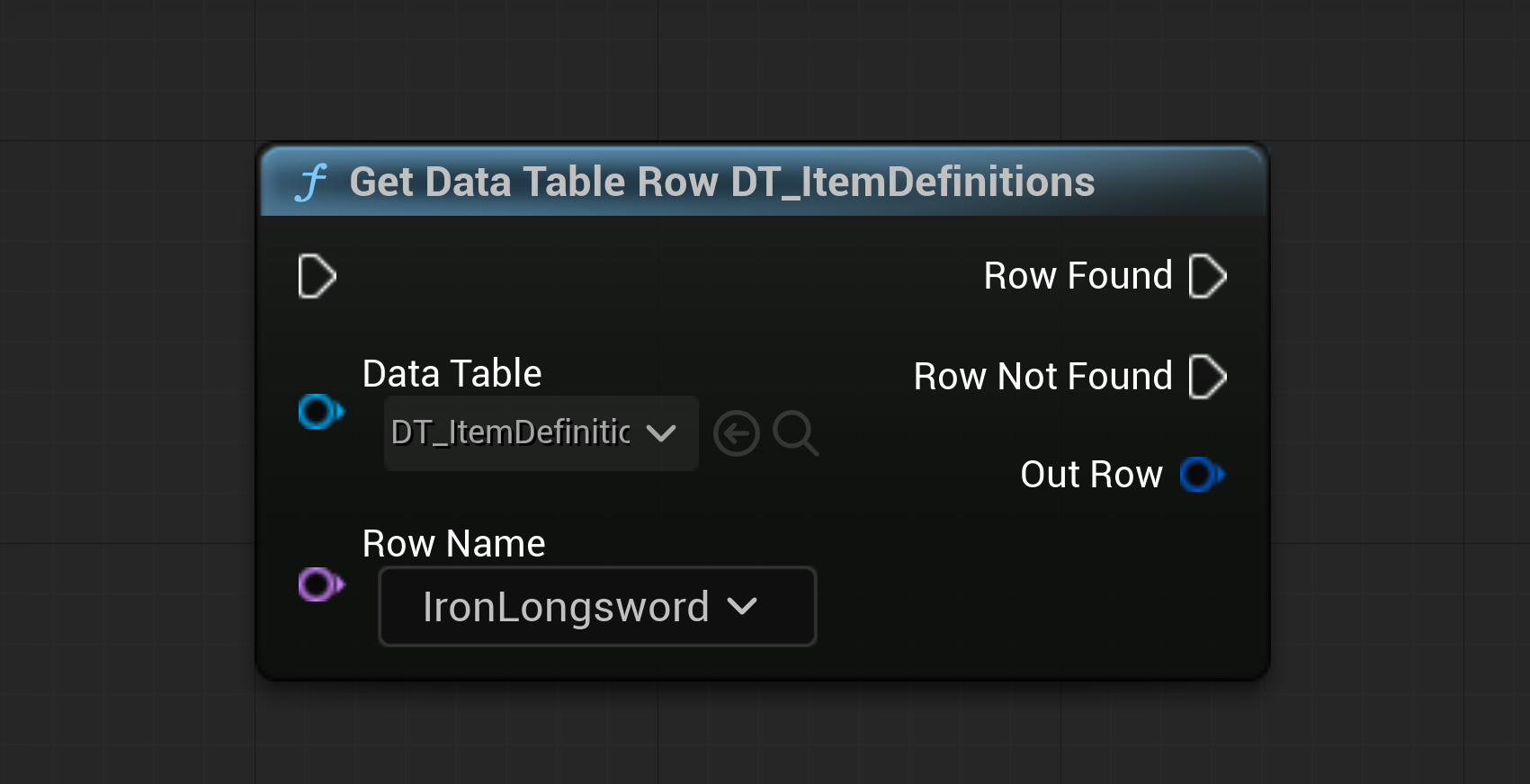
| Input | Output |
|---|---|
| Exec: Input | Exec: Row Found |
| Class: Data Table | Exec: Row Not Found |
| Name: Row Name | Wildcard: Out Row |
Get Data Table Row is used for retrieving specific data from a Data Table based on a row name.
The Data Table input determines the struct type of the Out Row output.
In Blueprint, this only returns a copy of the row data. Getting a reference to the row data is only possible in C++.
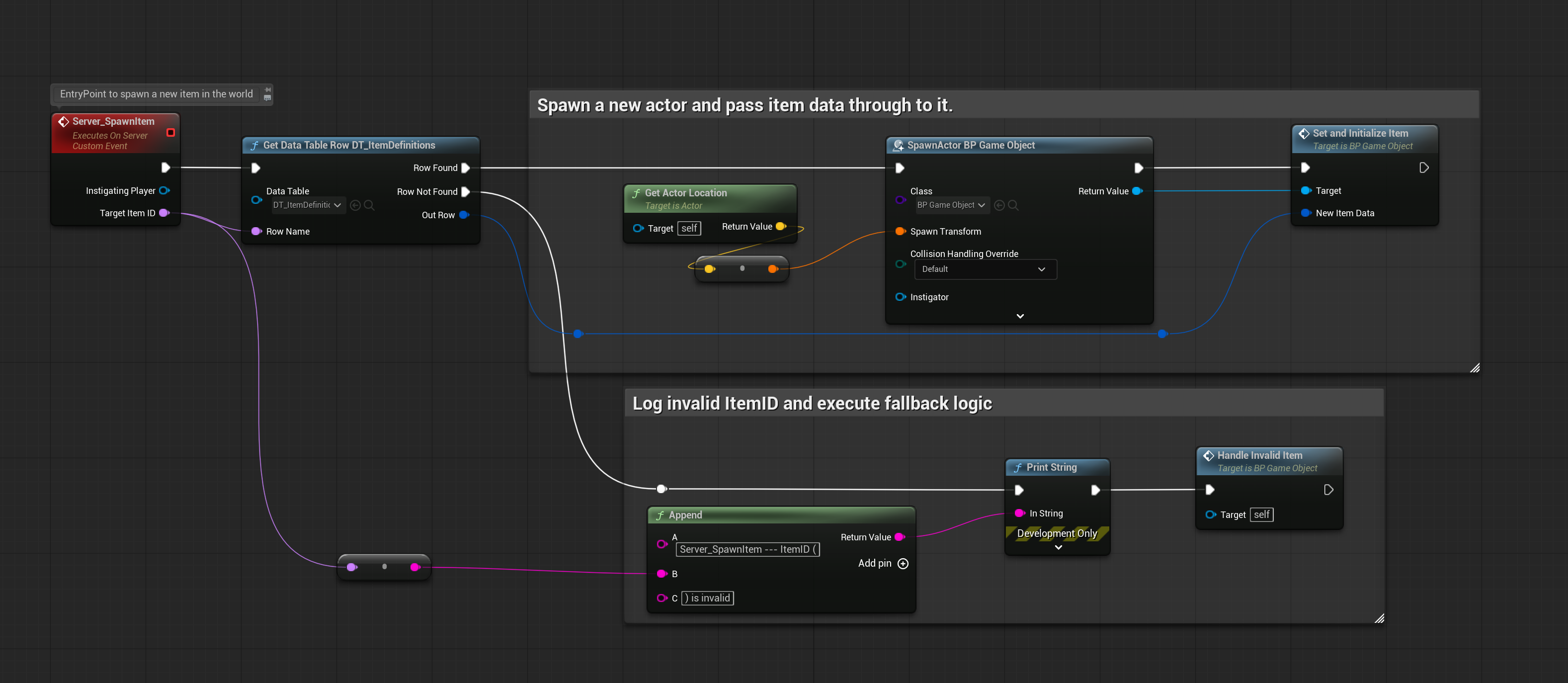
Depending on whether the row name exists in the Data Table, either the Row Found
or Row Not Found execution pin will be triggered.
This can be used to set up fallback logic.
Common Questions & Clarifications
Section titled “Common Questions & Clarifications”Q: Is Get Data Table Row node expensive to use?
Section titled “Q: Is Get Data Table Row node expensive to use?”Get Data Table Row is incredibly cheap to use. You can use this node hundreds or even thousands of times without issue, however, what must be kept in mind is the amount of data being pulled, rather than the number of pulls themselves.
For example, if you are getting 1000 rows, but each row is only a few bytes, you will typically be fine. However, if you have a Data Table that derives from a data heavy struct, such as one that contains hard references to textures or meshes, even 100 pulls can cause hitching as the machine is processing this data.
It’s also worth mentioning that this node is essentially a fancy lookup operation, so whether the target Data Table has 100 rows, or 10,000 rows, the cost is nearly identical.
Q: How can I retrieve multiple rows at once?
Section titled “Q: How can I retrieve multiple rows at once?”If you need to retrieve multiple rows at once, it’s common to use a for each loop with Get Data Table Row to iterate through all the needed rows. From there, you can store the results in an array or process them as needed.
Q: What happens if the row name doesn’t exist in the Data Table?
Section titled “Q: What happens if the row name doesn’t exist in the Data Table?”If the row name doesn’t exist in the Data Table, the “Row Not Found” execution pin will be triggered, and the “Out Row” output will be empty. It’s important to handle this case in your Blueprint logic to avoid unexpected behavior.