UDataTable
Version: UE 5.7.4
Last Updated: 9/14/2026
Data Tables are a great way to store and manage structured data in a table format. They are particularly useful for managing large sets of data, such as game configurations, item definitions, and loot tables. While they are not as flexible as Data Assets, they are easier to integrate and manage, especially for non-programmers.
Creating a Data Table
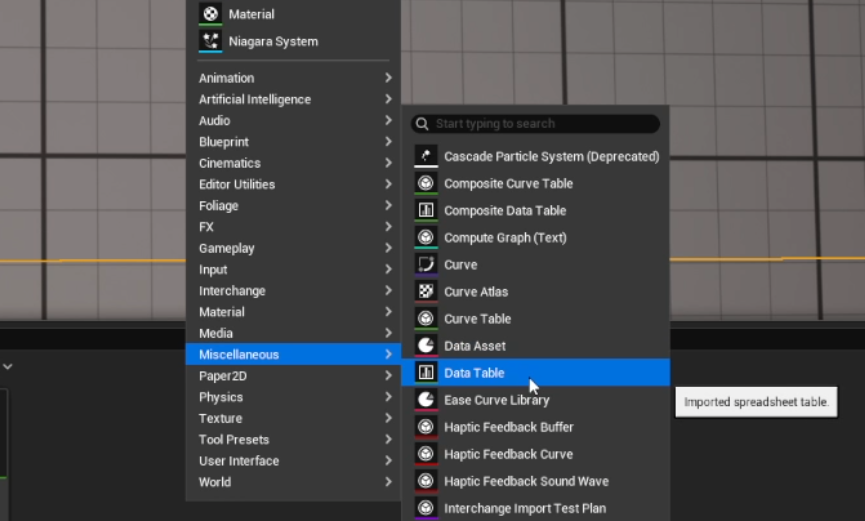
Section titled “Creating a Data Table”Creating a Data Table is similar to creating most other assets. Right click in the Content Browser, then under Miscellaneous, you’ll find Data Table.
Accessing a row in Blueprint
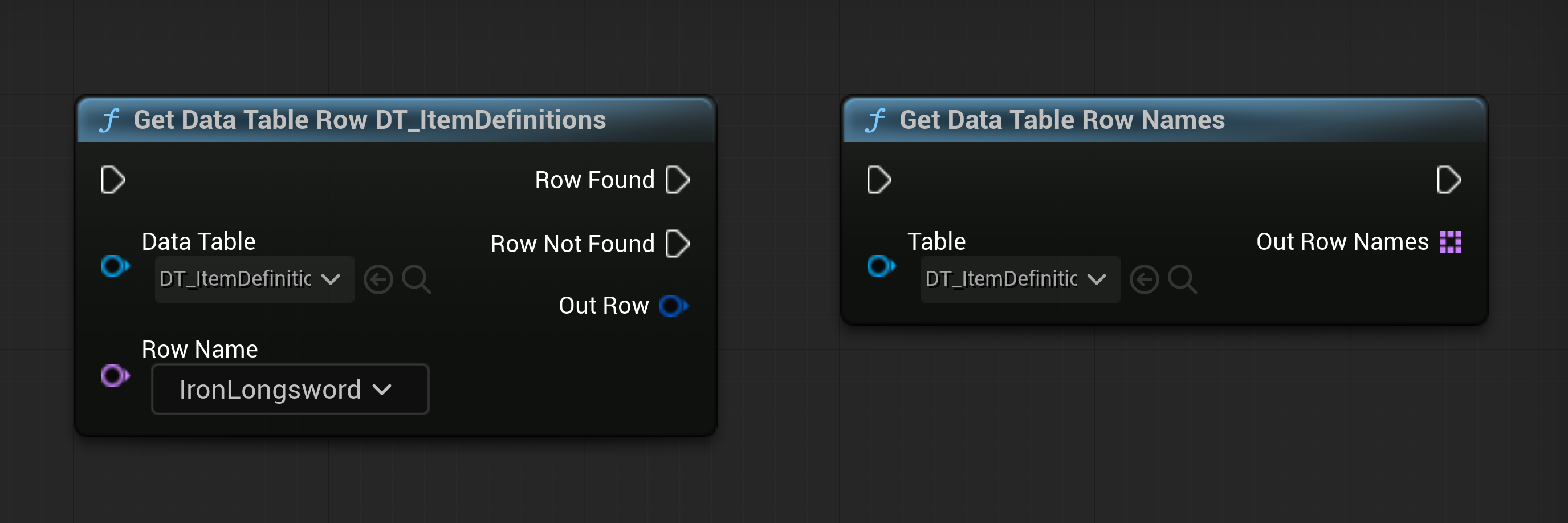
Section titled “Accessing a row in Blueprint”Accessing one or more rows in Blueprint is relatively straightforward. Two nodes that are commonly used for this purpose are the Get Data Table Row and Get Data Table Row Names nodes.
Accessing a row in C++
Section titled “Accessing a row in C++”- Read about how-to guides in the Diátaxis framework
Common Questions
Section titled “Common Questions”Q: Are Data Tables expensive?
Section titled “Q: Are Data Tables expensive?”Data Tables are not expensive to use, but they can become expensive if you have a large amount of data within rows or if you are accessing them frequently (such as on tick).
Keep in mind, the size of the amount of data is what’s important. If you accessing hundreds or even thousands of rows, but each row is small, then the performance impact will be minimal. However, if you are accessing a hundred rows but each row contains a large amount of data, such as textures or meshes, then you may notice hitching as the machine loads the data into memory.
Q: When should I not use a Data Table?
Section titled “Q: When should I not use a Data Table?”Data Tables are not suitable for all use cases. Here are some scenarios where you might want to consider alternatives:
- If you need to store complex data structures that are not easily represented in a table format, consider using Data Assets instead.
- If you need to frequently update or modify the data at runtime, consider using a different data structure, such as a TMap or TArray, which can be more flexible and efficient for dynamic data.
- If you need to store large binary data, such as images or audio files, consider using a different asset type, such as UTexture2D or USoundWave, which are optimized for handling large binary data.
Q: Can I use a Data Table as a database, or to store data?
Section titled “Q: Can I use a Data Table as a database, or to store data?”Data Tables are not designed to be used as a database. They are intended to be read-only at runtime. While you CAN use them as a database, it is not recommended. If you need to store and manage data that can be modified at runtime, consider using a different data structure.